 KeepScribe
Voice Memos to text
How to transcribe
Voice Memos on iPhone
Share the memo from the Voice Memos app to KeepScribe, open it and tap Transcribe. KeepScribe turns it into text on your iPhone using the speech recognition built into iOS, so nothing is uploaded, there is no account, and transcription is free with no time limit.
- Free, no time limit
- Nothing uploaded, no account
- Speaker labels (lifetime unlock)
- iOS 26 or later
Updated
Step by step
Send a voice memo to KeepScribe
This takes about ten seconds per memo. The original stays in Voice Memos; KeepScribe keeps its own copy.
On your iPhone
- Open Voice MemosTap the recording you want as text, then tap the More button (…) and choose Share.
- Pick KeepScribeKeepScribe shows up in the share sheet because it can open audio files. If you don’t see it in the row of apps, swipe to the end and tap More.
- Tap TranscribeKeepScribe opens the memo. It keeps the memo’s name and its original recording time, so it sorts into your list where it belongs. Choose the transcription language for this recording if it isn’t your default.
- Read, fix and searchTap any sentence to hear it from that point. Correct a word in place, or use find and replace across the whole transcript. Every change can be undone.
Before the first transcription in a language, iOS downloads that language’s speech model from Apple once. That needs an internet connection; after that, transcription works offline, even in airplane mode.
Many memos at once
Have a backlog of voice memos?
If you want to move a lot of old recordings, save them to Files first and import them in one go.
- In Voice Memos, share each recording and choose Save to Files, or keep them in a folder on iCloud Drive.
- In KeepScribe, tap + and choose Import from Files. You can select several files at once; they are listed by their original recording time.
- Supported files: m4a (what Voice Memos saves), mp3, wav, aac, caf, and video files in mp4 or mov. A video from the Photos app can be imported with Import Video from Photos.
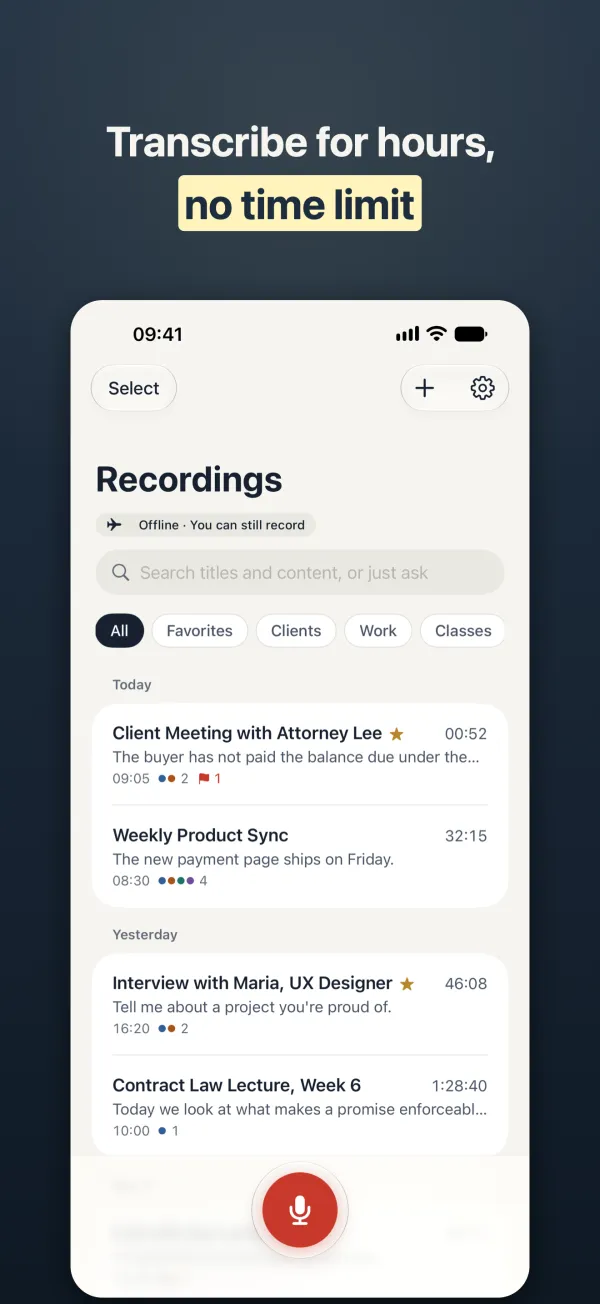
- There is no length limit. A two-hour memo takes longer to transcribe than a two-minute one, and transcription keeps going if you lock the phone.
- You can also skip Voice Memos next time: KeepScribe records from the Lock Screen, Dynamic Island, Action button or Control Center, and transcribes automatically when you stop.
What you get
More than a block of text
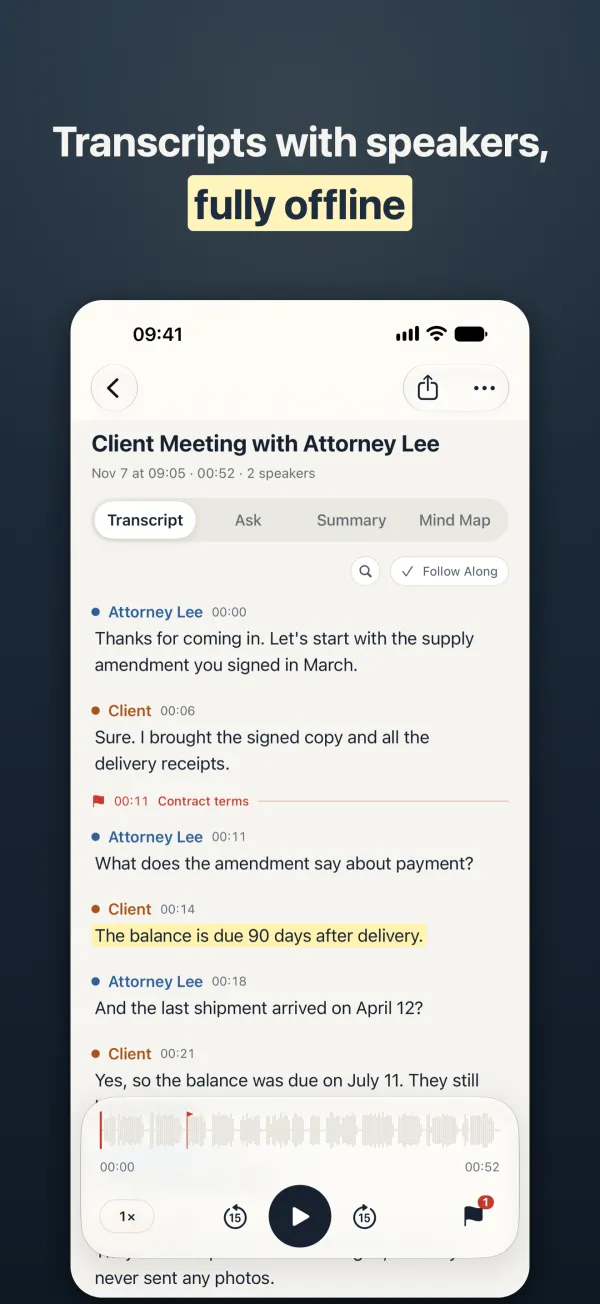
- Punctuation and paragraphs, so a long memo reads like notes rather than one run-on line.
- Speaker labels for conversations. Rename “Speaker 1” once and the whole transcript follows (lifetime unlock).
- One search field for every recording: titles, transcripts, markers and summaries.
- Optional removal of filler words like “um” and “uh” for cleaner reading.
- On-device AI summaries, Q&A and mind maps, each point linked to the moment it was said (lifetime unlock; needs an iPhone with Apple Intelligence, or an 8 GB iPhone that can download the on-device model).
Free and lifetime
What’s free and what the one-time purchase adds
There is no subscription and no per-minute charge. The prices below are for the U.S. App Store.
| Free | Lifetime unlock ($9.99 once) | |
|---|---|---|
| Transcription | Yes, with no time limit | Yes |
| Import from Voice Memos, Files and Photos | Yes | Yes |
| Copy text, export TXT and the original audio | Yes | Yes |
| Speaker labels | — | Yes |
| Export Word, PDF, Markdown, SRT / VTT subtitles, CSV | — | Yes |
| Translation, summaries, Q&A, mind maps | — | Yes |
| Live text while recording, full-screen captions | — | Yes |
Take it with you
Export the transcript
- Copy the text or export a TXT file and the original audio for free.
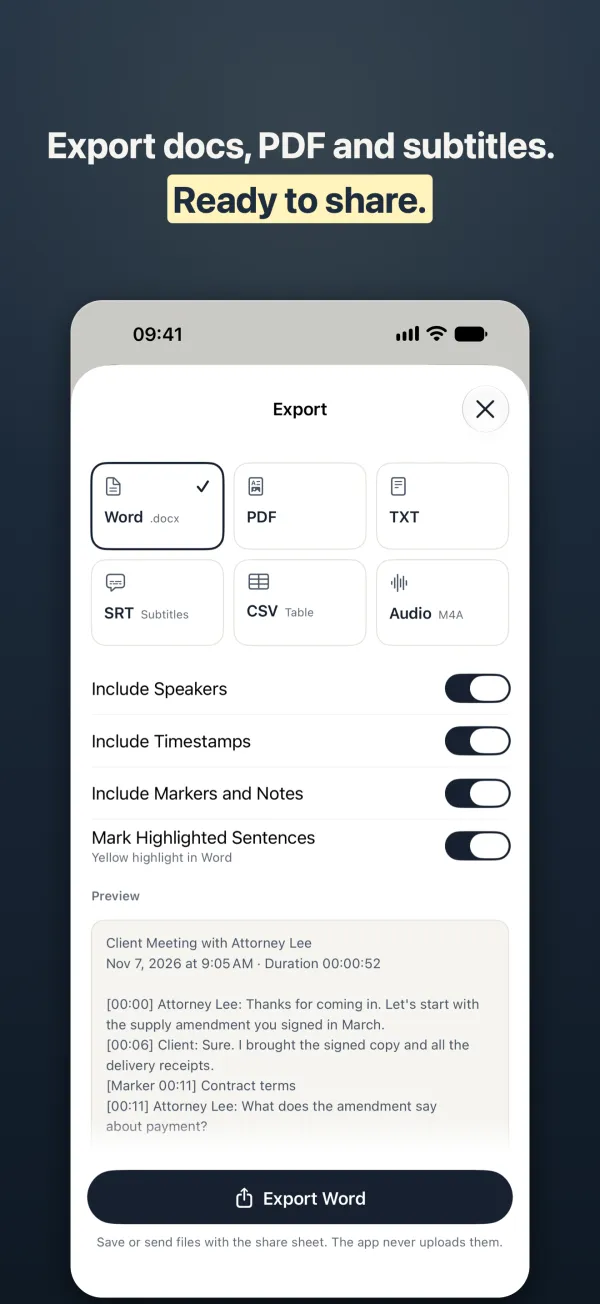
- With the lifetime unlock, export Word or PDF with speakers, timestamps and markers, SRT or VTT subtitles, Markdown, or CSV for a spreadsheet.
- Files go out through the share sheet: save them to Files, AirDrop them, or send them by mail. KeepScribe itself never uploads them.
- Auto export can save each new transcript to a folder you choose, such as one on iCloud Drive.
Be honest about fit
When KeepScribe isn’t what you need
- Your iPhone is on an older iOS. KeepScribe needs iOS 26 or later.
- You only need to read or copy a short memo once. On supported iPhone models, the Voice Memos app can show a transcript itself in several languages; Apple’s support page lists which ones and notes it isn’t available in every country or region. If that already works for you, you may not need another app.
- You want to transcribe on a Windows PC or in a web browser. KeepScribe runs on iPhone and iPad only.
- Several people need to edit the same transcript live. There is no shared workspace; everything stays on your device and you share files.
- The memo has other people in it. That’s fine to transcribe, but ask before you record people; the rules differ from place to place.
FAQ
Questions about this
Can iPhone transcribe voice memos?
Yes. On supported models, the Voice Memos app can show a transcript in the languages Apple lists on its support page. If you want speaker labels, search across all your recordings, Word or subtitle export, or a language Voice Memos doesn’t transcribe, share the memo to KeepScribe, which uses the speech recognition built into iOS in the language you choose.
What can I do when Voice Memos can’t transcribe a recording?
Apple says Voice Memos transcription depends on the iPhone model, the language and the country or region. Check that the memo is in one of the supported languages. You can also share the memo to KeepScribe and pick the transcription language yourself; it transcribes in every language the speech recognition built into iOS supports.
How do I transcribe voice memos to text for free?
Share the memo to KeepScribe and tap Transcribe. Transcription is free with no time limit and no account. Copying the text and exporting TXT are free too. Speaker labels, Word / PDF / subtitle export and AI summaries are part of a one-time $9.99 purchase.
Are my voice memos uploaded anywhere?
No. KeepScribe transcribes on your iPhone and has no server or account. The only download is the speech model iOS fetches from Apple once per language before the first transcription.
Is there a limit on how long a voice memo can be?
No. Long memos simply take longer to transcribe, and how long depends on your iPhone. Keep enough free storage for KeepScribe’s copy of the audio.
Record and transcribe, all on your iPhone
Transcription is free with no time limit. Speaker labels, Word / PDF / subtitle export and on-device AI are a one-time $9.99 purchase. No subscription.